Industrial imaging · Benelux and DACH

Hikrobot machine vision

An inspection station needs usable images within its cycle time and installation space. Sedeco supplies Hikrobot cameras, code readers, 3D hardware, optics, lighting and VisionMaster, and helps select the combination for the product and its movement.

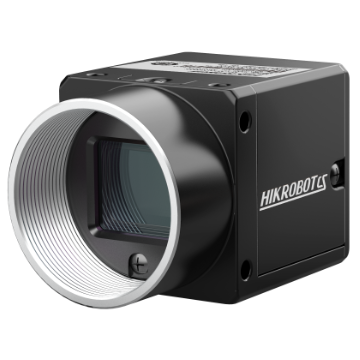
Hikrobot MV-CS area-scan camera

Compare area-scan families

MV-CS, MV-CA, MV-CU and MV-CE families overlap in interfaces, colour options, shutter types and resolutions. Series names do not establish a performance ranking. Compare exact variants against image quality and cycle-time requirements.

FamilyCatalogue scopeVariant choicesNext step
MV-CSArea-scan cameras for 2D imaging.GigE or USB 3, monochrome or colour, global or rolling shutter, with model-specific resolutions.Open the family and compare exact models.
MV-CAArea-scan cameras with overlapping application coverage.GigE or USB 3, monochrome or colour, global or rolling shutter options.Check sensor performance and bandwidth for the image task.
MV-CUArea-scan cameras with monochrome and colour variants.GigE or USB 3; shutter and resolution depend on the model.Check the complete model specification.
MV-CEArea-scan cameras with monochrome and colour variants.GigE or USB 3; the family includes global and rolling shutters.Validate the selected model with sample images.

Selection boundary:Resolution is only one selection input. Check whether the sensor, lens, working distance, lighting and exposure preserve the required detail at production speed, and whether the host can process the images in time.

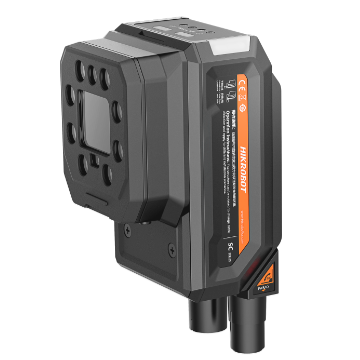
Hikrobot MV-SC5000 smart camera

Inspection with on-camera processing

A smart camera suits a station that needs image capture, supported inspection tools and communication in one device. Confirm lens arrangement, resolution, software support and machine interface for the exact model.

  • MV-SC5000:Monochrome and colour configurations include M12, D14 liquid-lens and C-mount options; check the selected suffix.
  • MV-SC6000:Monochrome and colour models include M12 and C-mount configurations. Confirm sensor format and optical coverage for the chosen variant.
  • VisionMaster:Configure supported inspection tools, decision logic and communication for the selected deployment platform.
Fixed readers for traceability

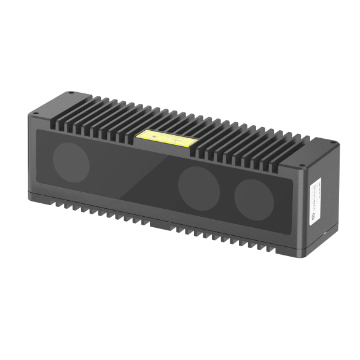
Select a reader using code-cell size, marking quality, surface, movement, working distance and contrast. More pixels alone do not ensure that damaged or reflective codes can be read.

  • MV-ID2000:Compare resolution and interface options, including Fast Ethernet and USB variants.
  • MV-ID3000:Check Fast Ethernet models with M12 or D14 liquid-lens options against the required code size and working range.
  • MV-ID5000:Compare the selected resolution and C-mount, M12 or D14 liquid-lens configuration. Availability depends on the full model code.
Hikrobot MV-DB 3D camera

Use 3D when height and shape matter

TheMV-DB familyadds depth information for height, shape, volume and part-position tasks. Define the measurement volume and acceptance limits, then test the effects of surface material and ambient light.

Before fixing the mechanical design, test representative parts across the intended working range. Record valid measurements, inaccessible surfaces and result time.

Select camera, lens and light together

The camera can only capture detail that the lens and light reveal. Define field of view, smallest relevant feature, working distance, depth of field and surface variation before choosing the optical arrangement.

  • Field of view, working distance and sensor dimensions guide focal-length selection.
  • Movement limits the exposure time available to avoid blur.
  • Surface and defect determine the direction, geometry and wavelength of the light.
  • Installation space and cleaning access constrain the mounting arrangement.

Four steps to a tested selection

Sedeco supports machine builders, integrators and manufacturers in Benelux and DACH with component selection and feasibility testing. Agree whether the required deliverable is a bill of materials, a trial setup or an integration project.

Describe the process

Record product variation, speed, available space, downtime, operator actions and PLC communication.

Define the imaging task

Specify the smallest relevant detail, allowed variation, code quality, measurement range and pass/fail limits.

Select the combination

Select the camera or reader together with its lens, light, software and mounting requirements.

Validate with samples

Use independent conforming and defective samples at the required distance and speed. Agree limits for missed defects, false rejects and result time before testing.

Business-case inputs:Record current handling hours, output, changeovers, interventions, rejects, recovery, downtime and maintenance. Compare these with equipment costs and integration hours multiplied by the applicable rate. Use trial measurements to estimate benefits.

Match the catalogue to your application

Send product images or samples, the required inspection, speed, field of view, working distance and available space. Sedeco can then shortlist the relevant Hikrobot families and define a practical test.

Request technical selection advice