
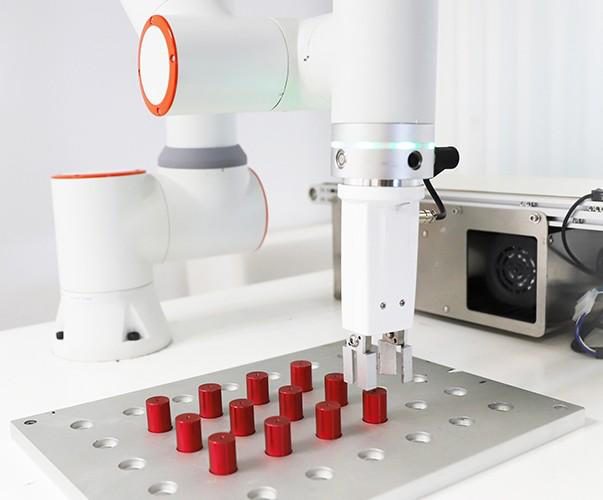
Cameras, lenses, lighting and software for machine vision
The quality of a vision system depends on how well its components work together. Browse industrial cameras, lenses, lighting and software, or ask us to help select a combination for your field of view, required detail, production speed and machine controls.
Product groups
The components of an industrial vision system
Each component has a different role. The camera records the image, the lens determines the field of view and detail, lighting creates usable contrast, and the software turns the image into a result for the machine.
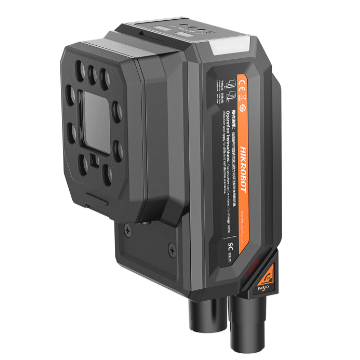
Cameras
Area scan, line scan and 3D cameras, smart cameras and code readers for different types of inspection and automation.
View cameras →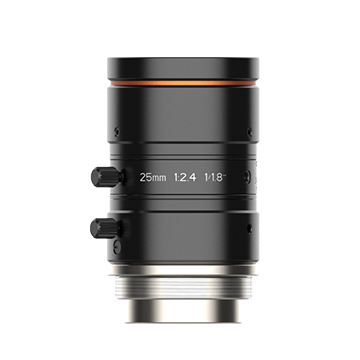
Lenses
The focal length, sensor size and working distance determine what the camera sees and how much detail remains.
View lenses →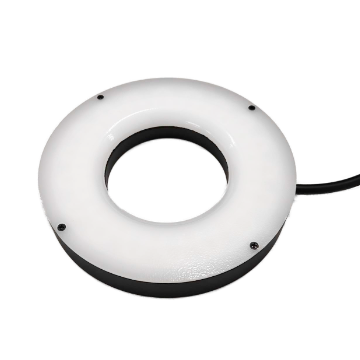
Lighting
The right lighting makes contours, surfaces, print, defects and codes visible with less dependence on ambient light.
View lighting →
Software
Configure the camera, process images and exchange measurements or inspection results with the PLC, robot or production system.
View software →Full catalogue
Compare products and specifications
Use the filters to compare products within a category. If several models appear suitable, we can check the combination of camera, lens, lighting, interface and software for your application.
- Product groups for cameras, optics, lighting and software
- Specifications and variants shown per product family
- Technical advice on component compatibility
Product Filters
Categorieën
Product catalogus


Questions about industrial cameras
Practical information about Hikrobot cameras
Answers about camera types, interfaces, resolution, optics, lighting, software and integration.
Hikrobot supplies industrial cameras for machine vision, quality inspection, identification, measurement and robot guidance. The range includes area scan and line scan cameras, smart cameras, code readers and 3D cameras. These product groups differ in image acquisition, onboard processing, interfaces and the type of result they provide.
The suitable camera type follows from what needs to be visible or measured. Field of view, smallest relevant detail, working distance, product speed, installation space and connection determine whether an area scan camera, line scan camera, smart camera, code reader or 3D camera is appropriate.
An area scan camera captures a complete two-dimensional image with each exposure and is a practical choice for separate products or a defined field of view. A line scan camera builds an image line by line while the product or camera moves. This suits continuous material, wide webs, cylindrical surfaces and fast conveyor processes.
A smart camera combines image acquisition, processing and decision logic in one device. It suits compact, repeatable inspections that send a result directly to a PLC. PC-based vision provides more room for multiple cameras, heavier processing, custom software or complex AI. See our smart camera versus PC-based vision comparison.
An industrial machine vision camera is designed for repeatable acquisition, external triggering, controlled exposure and long-term use in machinery. It supplies image data to vision software under controlled timing. Consumer and surveillance cameras usually optimise images for human viewing and offer less control over synchronisation and processing.
The required resolution depends on the field of view and the smallest detail that must be detected or measured. More megapixels also require more bandwidth, processing capacity and storage. The critical feature therefore needs enough pixels without making the complete system unnecessarily heavy. Our guide to camera resolution, FOV and working distance explains this relationship.
A global shutter exposes all pixels at the same time and prevents geometric distortion on moving products. It is commonly used on conveyors, during robot motion and for fast inspections. A rolling shutter reads the image line by line and may distort moving objects, but can be suitable when the product and camera remain stationary.
GigE supports longer cable runs, flexible network layouts and multi-camera systems; some models also support power over Ethernet. USB3 provides high bandwidth and a direct connection to an industrial PC, generally over a shorter distance. Resolution, frame rate, cable routing, triggering and the available PC interface determine which connection fits best. Explore the Hikrobot GigE cameras for the available families.
The lens must support the sensor size and lens mount of the camera while providing the required field of view at the available working distance. Resolution, distortion, depth of field and aperture also affect the result. Telecentric optics can be useful for accurate dimensional measurements. Camera and lens should always be assessed as one optical combination.
Vision software can only work with contrast that is present in the image. The shape, angle, wavelength and diffusion of the lighting determine whether a scratch, contour, print or code becomes visible. Controlled lighting also reduces the influence of ambient light and the amount of software correction required.
Hikrobot offers fixed readers for common 1D and 2D codes as well as models for direct part marking. Performance depends on code size, contrast, surface, speed and reading distance. Reflective, damaged or very small codes often require a suitable combination of reader and lighting. Explore the Hikrobot code readers.
A 3D camera is useful when height, volume, shape or depth position is needed and a 2D image does not contain enough information. Typical applications include bin picking, volume measurement, height inspection and robot guidance with varying part orientations. The suitable 3D method depends on measurement volume, required detail, surface, ambient light and cycle time. Explore our industrial 3D cameras.
Yes. A smart camera or code reader can send decision results directly, while a PC-based camera supplies images to software that communicates with the PLC, robot or machine controls. The available signals, protocols, cycle time and required error handling depend on the selected camera and system architecture.
Configuration software and development components are available for PC-based machine vision, depending on the camera and platform. Compatibility with the operating system, programming environment and camera interface varies by product. Sedeco can help align the hardware with functions such as triggering, parameter management and the intended software architecture.
Yes. A practical test is useful when contrast, reflection, speed, small defects or code quality make the result uncertain. With representative good and defective parts, working distance, available space and cycle time, we can assess the camera, lens and lighting as a complete imaging setup.
Questions about the available models?
Discuss your application with Vincent or Jeroen
Share information about the part, field of view, smallest relevant detail, speed and available space. We can compare the suitable product groups and check whether the camera, lens, lighting and interface form a workable combination.
 Vincent van Montfoort
 Jeroen van den Berg